 Vecto
Vecto
Vecto
Vecto
Designed for Mac musicians using physically rotated portrait-oriented external monitors. Since MacBooks lack built-in screen rotation capabilities, Vecto displays sheet music, PDFs, and web pages vertically while maintaining perfect coordinate mapping. Optimized for remote control using a Bluetooth mouse, foot pedal, or compact 2-button keyset.
xattr -cr /Applications/Vecto.app
A collection of deeply thought-out, pixel-perfect capabilities designed to solve hardware rotation constraints.
Perfect for custom staging setups using a wireless external monitor paired with a Bluetooth 2-button page-turner pedal or Bluetooth mouse, keeping your workspace untethered.
Loads directory folders into a beautiful file selection list detailing PDF names and byte sizes for quick browse-to-open sheet loading.
Launches instantly in borderless fullscreen mode by default, immediately transforming your screen into a professional music stand.
Deep dive into how the app intercepts window event queues, applies rotation offsets, and routes events back into the SwiftUI hierarchy.
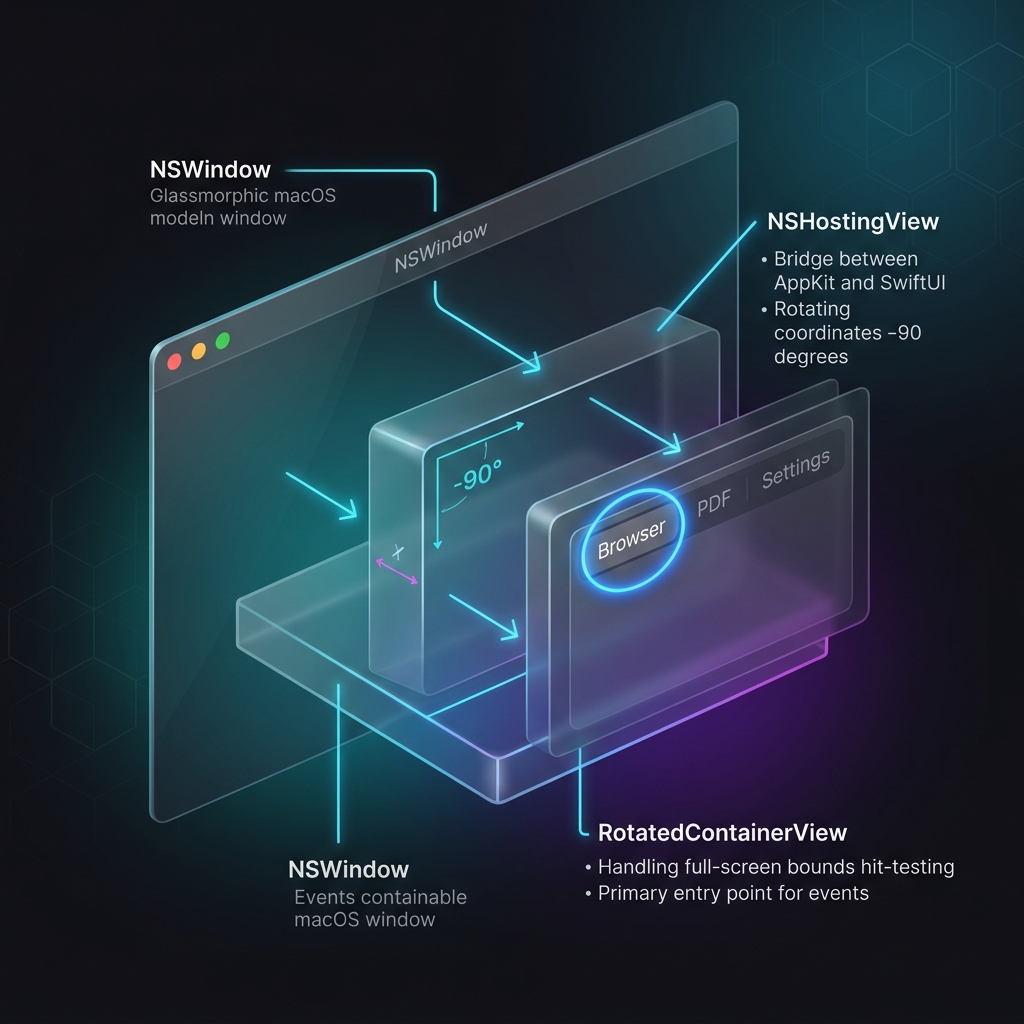
Our specialized Cocoa event router intercepts low-level window events, bypasses standard coordinates conversion, and remaps clicks based on real-time hardware orientation. This guarantees WKWebView and PDFView remain fully functional under rotation.
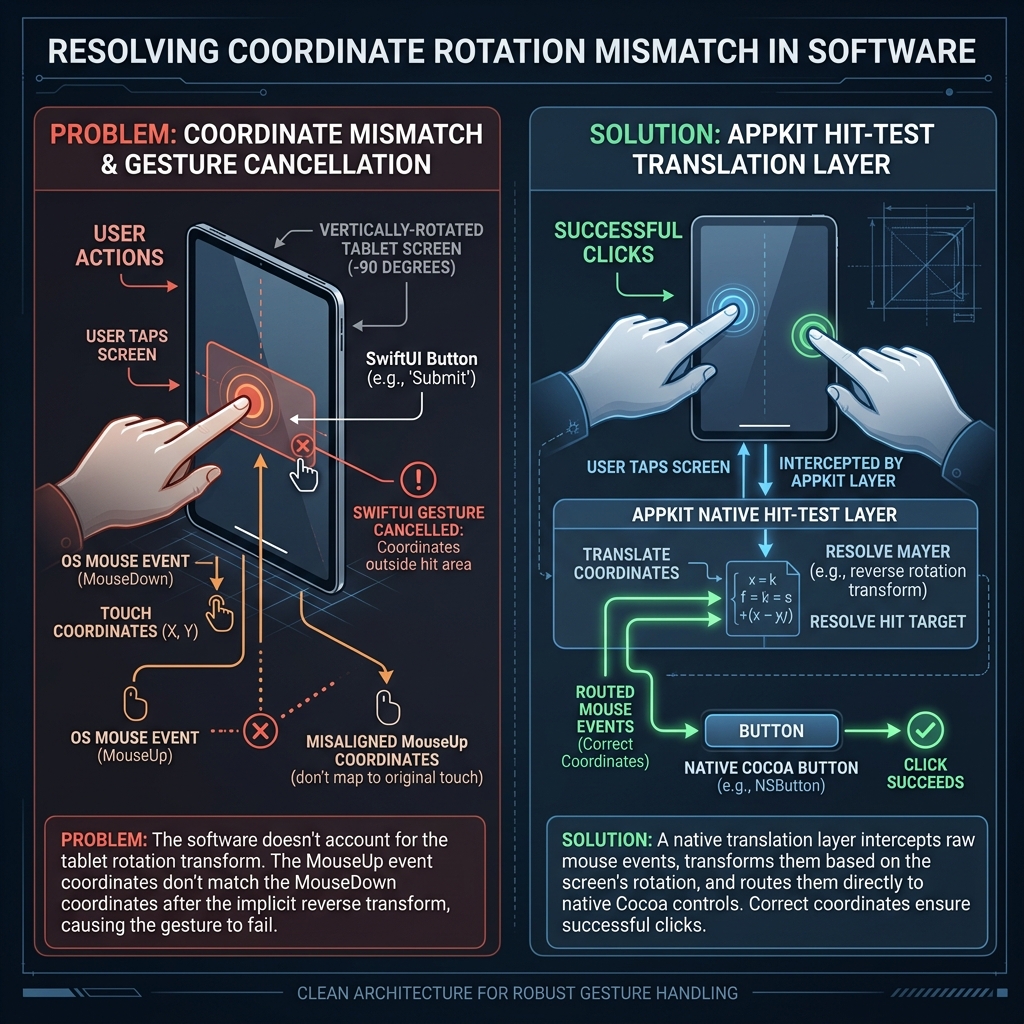
Bridging declarative layout systems with low-level window coordinate conversion matrices.
Resolving why standard SwiftUI buttons and gestures fail to receive clicks when their parent view is rotated using AppKit's frameCenterRotation was the primary engineering challenge. Under rotation, SwiftUI's coordinate tracking engine fails to apply the transformation matrix on mouse-up events, resulting in cancelled gestures.
Follow these quick steps to compile and launch the application natively on your Mac.
git clone https://github.com/j4dy/Vecto.git
cd Vecto
swiftc RotatedBrowserApp.swift ContentView.swift WebView.swift PDFViewWrapper.swift Analytics.swift -o net.j4dy.Vecto
./net.j4dy.Vecto